


第 2 章:新应用程序
本章的目的是为创建全新的 Odoo 模块奠定基础。我们将从头开始,从 Odoo 识别我们的模块所需的最低限度开始。在接下来的章节中,我们将逐步添加功能来构建现实的业务案例。
房地产广告模块
我们的新模块将涵盖一个非常具体的业务领域,因此不包含在标准模块集中:房地产。值得注意的是,在开发新模块之前,最好验证 Odoo 是否已经提供了回答特定业务案例的方法。
以下是包含一些广告的主列表视图的概述:
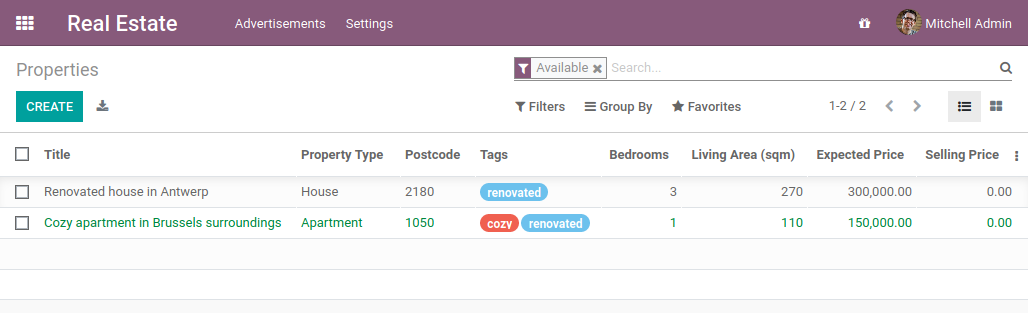
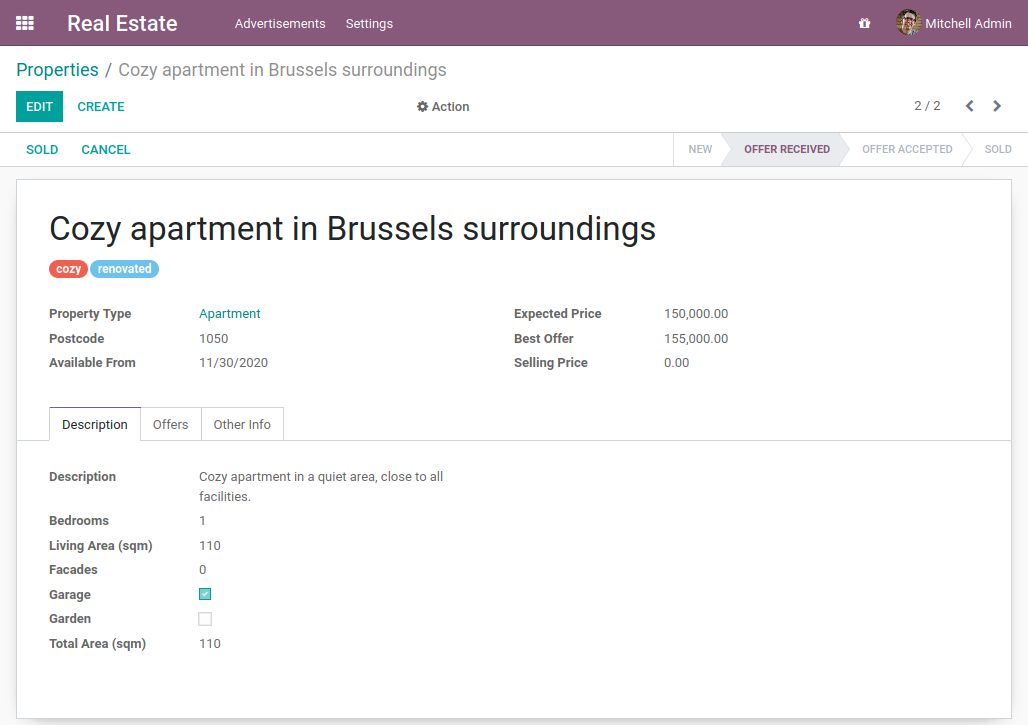
表单视图的顶部区域总结了属性的重要信息,例如名称、属性类型、邮政编码等。第一个选项卡包含描述房产的信息:卧室、起居区、车库、花园……
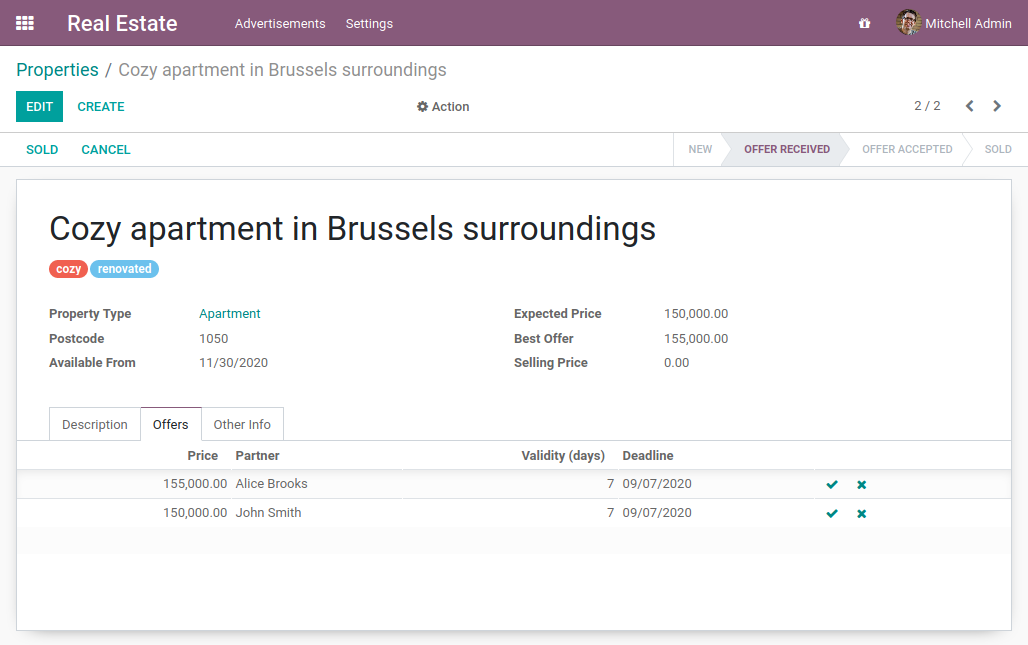
第二个选项卡列出了该房产的报价。我们可以在这里看到潜在买家可以提出高于或低于预期售价的报价。卖方是否接受报价取决于卖方。
这是一个显示该模块工作流程的快速视频。
希望这个视频很快就会被录制:-)
准备插件目录
参考:与此主题相关的文档可以在 manifest 中找到。
注解
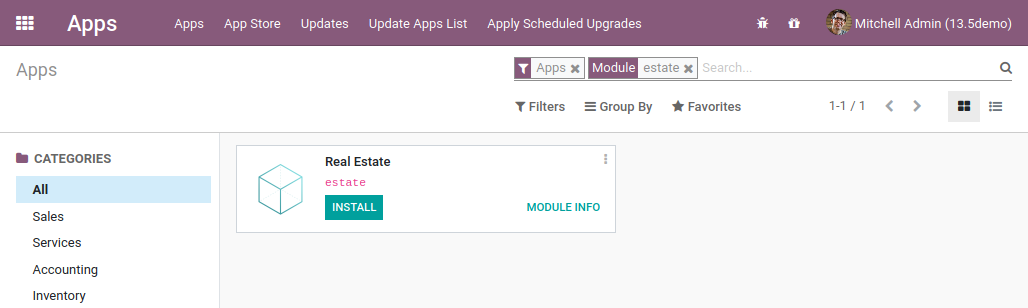
目标:本节的目标是让 Odoo 识别我们的新模块,该模块目前是一个空壳。它将在应用程序中列出:
创建模块的第一步是创建其目录。在 tutorials 目录中,添加新目录 estate。
一个模块必须至少包含 2 个文件:__manifest__.py file and a __init__.py file. The __init__.py file can remain empty for now and we’ll come back to it in the next chapter. On the other hand, the __manifest__.py file must describe our module and cannot remain empty. Its only required field is the name,但它通常包含更多信息。
以 CRM file 为例。除了提供模块的描述(name, category, summary, website…), it lists its dependencies (depends). A dependency means that the Odoo framework will ensure that these modules are installed before our module is installed. Moreover, if one of these dependencies is uninstalled, then our module and any other that depends on it will also be uninstalled. Think about your favorite Linux distribution package manager (apt, dnf, pacman…):Odoo 以相同的方式工作。
Exercise
创建所需的插件文件。
创建以下文件夹和文件:
/home/$USER/src/tutorials/estate/__init__.py/home/$USER/src/tutorials/estate/__manifest__.py
__manifest__.py file should only define the name and the dependencies of our modules. The only necessary framework module for now is base。
重新启动 Odoo 服务器并转到“应用程序”。单击“更新应用程序列表”,搜索“estate”,然后…tadaaa,您的模块出现了!没有出现吗?也许尝试删除默认的“应用程序”过滤器;-)
警告
请记住启用 developer mode,如上一章所述。否则您将看不到 Update Apps List 按钮。
Exercise
让您的模块成为“应用程序”。
将适当的密钥添加到“__manifest__.py”,以便在“应用程序”过滤器打开时显示该模块。
您甚至可以安装该模块!但显然它是一个空壳,所以不会出现任何菜单。
一切都好吗?如果是,那么让我们:doc:create our first model <03_basicmodel>!